 United States
Vape Charging Port Problems: Signs of Damage and Safe Troubleshooting
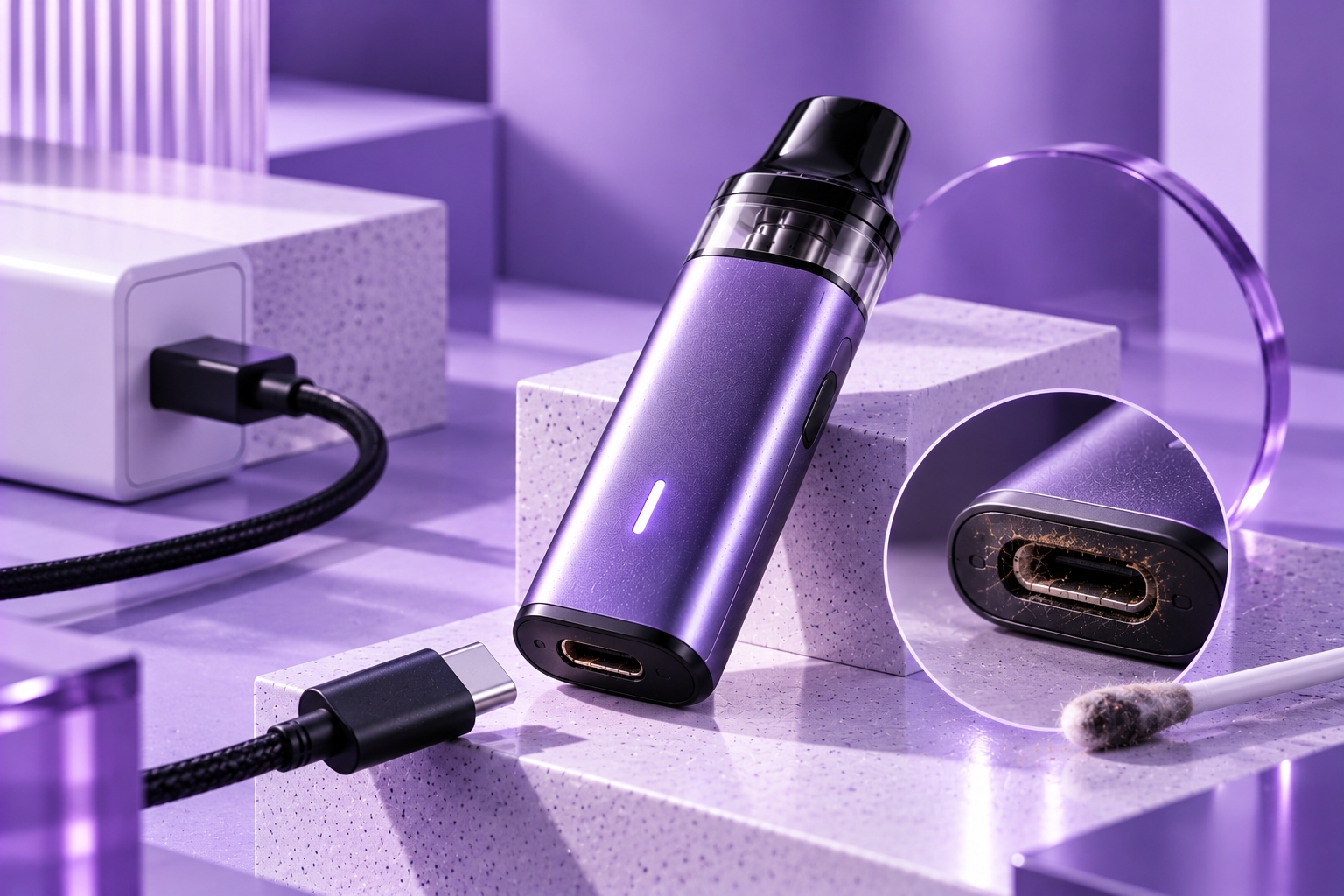
Safety Note: A damaged charging port can create an unreliable electrical connection and may present a safety risk. Stop charging or using your vape if the port is visibly damaged, unusually hot, corroded, or producing an abnormal smell. Never insert metal objects, liquids, or sharp tools into the charging connector.
A vape charging port is a small component, but it plays an important role in how a rechargeable device receives power. When the connection becomes loose, contaminated, or physically damaged, charging may become inconsistent or stop working entirely.
Vape charging port problems can develop through everyday wear, accidental impact, moisture exposure, or repeated strain on the charging cable. Some issues are visible from the outside, while others require professional inspection.
This guide explains common charging-port problems, how to recognize possible damage, which checks are safe to perform, and when a device should be taken out of service.
Understanding How a Vape Charging Port Works
The charging port provides an electrical connection between an external power source and the device's internal charging circuitry. Depending on the model, a rechargeable vape may use a USB-C, Micro-USB, or another manufacturer-specified charging connector.
The port itself does not determine the complete charging process. Internal electronics manage battery charging, monitor operating conditions, and may limit or interrupt power delivery when certain conditions are detected.
Because the charging connector is exposed to repeated cable insertion and removal, it can experience mechanical wear over time. A damaged connector may interfere with charging even when the battery and charging cable are otherwise functional.
Common Signs of Vape Charging Port Problems
1. Loose or Unstable Cable Connection
A charging cable that no longer fits securely may indicate wear or damage to the connector. The charging indicator might appear intermittently, or the connection may disconnect during normal stationary charging.
However, a loose connection does not automatically mean the port is defective. A worn or incompatible cable connector can produce similar symptoms.
Do not bend the cable or hold it at an angle to force charging. Repeated pressure can worsen connector damage.
2. Visible Damage Around the USB Port
A bent connector, cracked housing, displaced internal tongue, or damaged contact area may indicate a physical charging-port fault.
If the connector appears distorted or broken, stop using it. Attempting to straighten internal contacts with a metal tool can damage the connector further or create an electrical hazard.
3. Charging Starts and Stops Unexpectedly
Repeated interruptions may occur when the cable cannot maintain a reliable connection. They can also result from an unsuitable power source, damaged cable, temperature protection, or an internal charging fault.
Charging interruptions are therefore a symptom rather than proof of a damaged port. If the problem continues with manufacturer-approved equipment, discontinue charging and seek qualified support.
4. Debris Inside the Charging Connector
Dust, pocket lint, and other particles can collect around an exposed charging port. Debris may prevent the plug from seating correctly or interfere with its electrical contacts.
Inspect the connector visually while the device is disconnected from power. If debris appears lodged inside, consult the manufacturer's cleaning instructions rather than inserting sharp objects or applying cleaning liquids.
5. Corrosion or Signs of Moisture Exposure
Moisture can affect electrical connectors and contribute to corrosion. Visible discoloration, residue, or unusual deposits around the charging contacts may indicate contamination or deterioration.
A device with suspected moisture intrusion should not be charged until the manufacturer or an authorized service provider confirms it is safe. Drying the exterior does not establish that internal components are undamaged.
6. Unusual Heat or a Burning Smell
Excessive heat around the charging connector, melting, smoke, or an abnormal burning smell can indicate a serious electrical problem.
Stop charging immediately if it is safe to disconnect the device. Do not touch a dangerously hot or smoking device. Move away and follow appropriate fire-safety procedures if the battery shows signs of thermal failure.
What Causes Charging Port Damage?
Charging-port problems may develop for several reasons. The most common contributing factors involve mechanical stress, contamination, and environmental exposure.
| Possible Cause | Potential Effect |
|---|---|
| Repeated cable strain | Wear or damage to connector contacts and mounting points |
| Incorrect or forced connector insertion | Bent or broken connector components |
| Dust and pocket debris | Poor cable fit or unreliable electrical contact |
| Moisture exposure | Corrosion or internal electrical damage |
| Impact or accidental drops | Connector displacement or damage to internal mounting points |
| Normal wear over time | Reduced connector retention or intermittent contact |
These causes can produce similar symptoms, so a visual inspection alone may not identify the exact fault.
Safe Troubleshooting for Vape Charging Port Problems
Basic external checks may help determine whether a problem involves the cable, power source, or visible connector condition. They should not involve opening the device or modifying its electrical components.
Step 1: Disconnect the Device and Inspect the Port
Disconnect the charging cable and examine the connector under adequate lighting. Look for obvious physical damage, discoloration, corrosion, or debris.
If the port is damaged or contaminated internally, do not reconnect the charger until the manufacturer or a qualified service provider has assessed the issue.
Step 2: Examine the Charging Cable
Check the cable for bent plugs, exposed wiring, damaged insulation, or unusual wear. A defective cable may resemble a charging-port problem.
For an otherwise undamaged device, use a compatible cable recommended by the manufacturer. Never force a connector that does not fit properly.
Step 3: Confirm the Approved Power Source
Review the device manual to identify supported charging input specifications. Use a compatible power source and avoid assuming that a higher-wattage adapter will improve charging performance.
Our safe charging guide explains important differences between common USB power sources.
Step 4: Observe Charging Behavior Without Applying Pressure
If the device and connector show no damage or other warning signs, observe whether charging begins normally with approved equipment.
Do not twist, bend, or repeatedly reposition the cable to make the charging indicator appear. A connection that works only when pressure is applied may be mechanically compromised.
Step 5: Contact the Manufacturer if the Problem Continues
Persistent charging interruptions, a loose connector, or suspected internal damage require manufacturer guidance or qualified servicing.
Do not solder, replace, or modify the charging port yourself unless you are an appropriately qualified technician working under applicable safety procedures. For most sealed consumer vape devices, manufacturer-approved replacement is the safer option.
Charging Port Problems vs. General Charging Problems
Not every charging failure comes from the USB connector. A battery fault, charging controller issue, cable defect, or incompatible power source may cause similar behavior.
A charging-port problem is more likely to be suspected when there is visible connector damage, poor cable retention, corrosion, or a history of physical strain. However, confirming the cause may require professional assessment.
For broader charging failures, our vape charging checklist covers additional possible causes beyond the port itself.
Can a Damaged Vape Charging Port Be Repaired?
Repair options depend on the device's construction, warranty conditions, and manufacturer support. Some electronic devices have serviceable charging connectors, while many compact or sealed vape devices are not designed for user repair.
Replacing a charging connector can involve internal electrical components and a lithium-ion battery. Improper repair may damage the charging circuit or compromise battery safety.
If the device is under warranty, contact the manufacturer or seller about approved service options. If safe repair is unavailable, follow local electronic-waste and battery disposal requirements rather than placing the device in ordinary household waste.
How to Prevent Charging Port Wear
Careful handling can help reduce unnecessary stress on a charging connector.
- Insert and remove the charging cable gently and without forcing it.
- Avoid pulling the cable sideways while it is connected.
- Keep the charging area away from liquids and excessive moisture.
- Do not use cables with bent or visibly damaged connectors.
- Avoid placing pressure on the charging plug while the device is connected.
- Follow the manufacturer's cleaning and charging instructions.
- Stop using the charging connection if it becomes loose, damaged, or unusually hot.
Good connector care is one part of overall vape device maintenance, alongside appropriate cleaning, storage, and battery handling.
When to Replace or Retire a Device
A device should be taken out of service when its charging connection is visibly damaged, repeatedly overheats, shows signs of corrosion, or cannot maintain a reliable connection with approved equipment.
Additional warning signs include battery swelling, abnormal smells, leakage, smoke, or damage to the device housing. These conditions should not be treated as routine charging inconveniences.
Our battery safety guide provides further information about recognizing battery-related hazards.
Final Thoughts
Vape charging port problems can result from connector wear, debris, moisture, impact, or repeated cable strain. Common symptoms include loose connections, intermittent charging, and visible damage around the USB port.
The safest approach is to inspect the connector externally, confirm that charging equipment meets manufacturer specifications, and avoid forcing or modifying damaged components. If the problem persists, manufacturer support or qualified servicing is preferable to attempting internal repairs.
Sources & Further Reading
- U.S. Food and Drug Administration — Tips to Help Avoid Vape Battery Explosions
- Ready.gov — Lithium-Ion Batteries
Important Reminder: Charging connector designs, repair options, and supported power inputs differ by manufacturer and model. Follow the official device manual. Do not charge a vape with a damaged, corroded, overheating, or unreliable charging port.