 United States
Why Is My Vape Charging So Slowly? Common Causes Explained
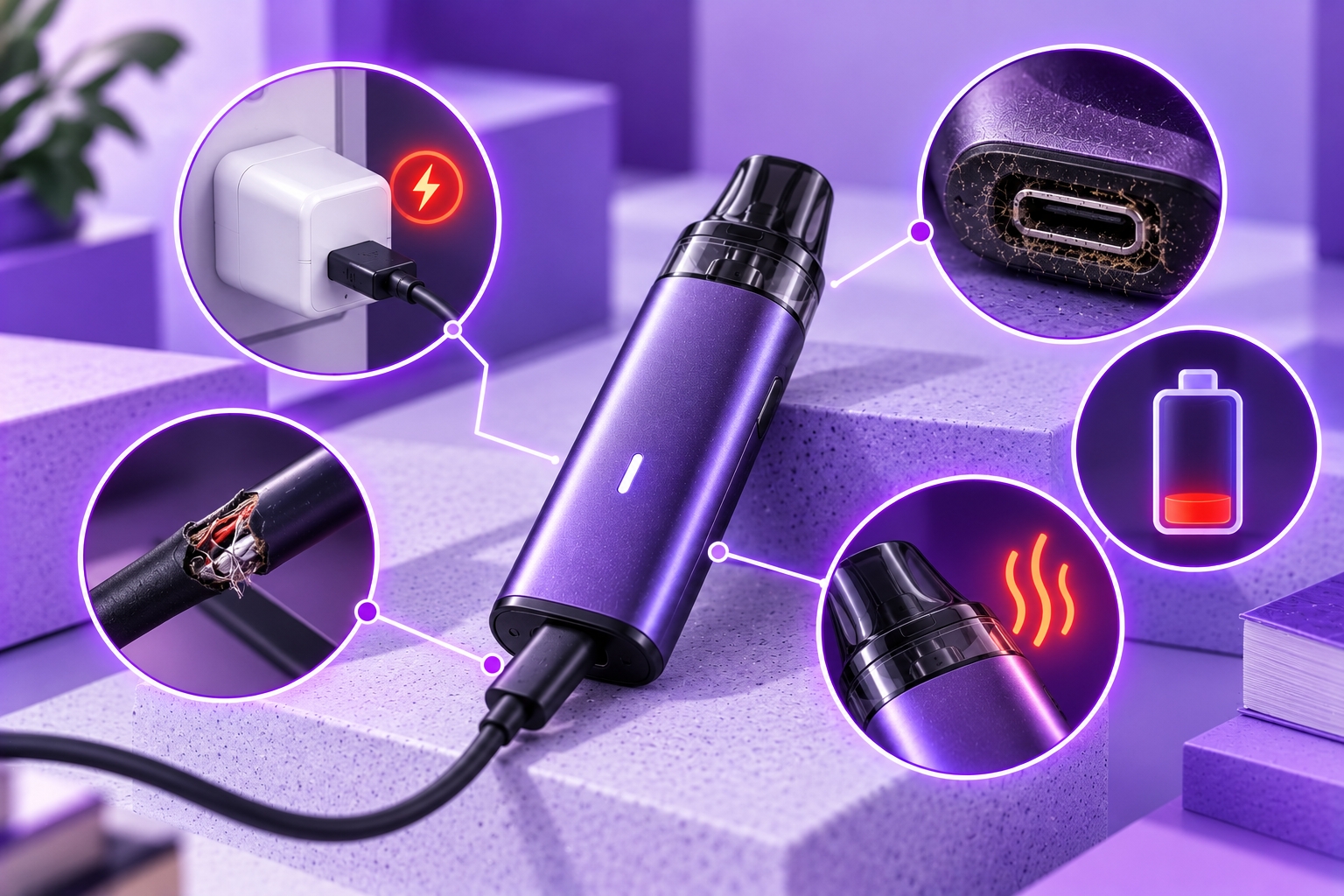
Safety Note: Charging behavior varies by device, battery condition, and manufacturer specifications. Always use the charging equipment recommended for your model. If your device becomes unusually hot, swells, leaks, smells abnormal, or shows visible damage, stop charging and using it. Do not attempt to repair a damaged lithium-ion battery.
A vape that takes longer than usual to charge can be frustrating, especially when the battery percentage barely moves after being connected for a while. However, slow charging does not automatically mean the battery is defective. The cause may involve the charging cable, power source, charging port, battery condition, or the device's built-in charging controls.
If your vape is charging slowly, the first step is to determine whether the behavior is normal for your device or represents a recent change. Understanding the difference can help you identify possible problems without attempting unsafe repairs.
This guide explains common reasons for slow vape charging, safe checks you can perform, and warning signs that indicate the device should no longer be used.
Why Is My Vape Charging So Slowly?
A vape may charge slowly because the charging system is receiving limited power, the connection is unreliable, or the battery management system is deliberately reducing charging speed. The exact cause depends on the device's design and condition.
Unlike a device that receives no charge at all, a slowly charging vape usually shows some indication of charging, such as an illuminated LED, a charging icon, or a gradually increasing battery percentage.
If the device does not recognize the charger or shows no charging response, that is a different problem covered in our vape charging troubleshooting article.
Common Causes of Slow Vape Charging
1. Charging Cable Problems
A damaged, poorly fitting, or unsuitable charging cable may interfere with reliable power delivery. A cable can appear intact while having internal wear or a loose connector.
If the cable has exposed wires, bent connectors, damaged insulation, or other visible defects, discontinue using it. When your device supports a detachable cable, use a compatible replacement that meets the manufacturer's specifications.
2. An Unsuitable Power Source
Not every USB port or wall adapter delivers power in the same way. Some low-output USB ports may charge compatible devices more slowly, while certain devices limit their own charging input regardless of the adapter's advertised wattage.
Using a higher-wattage charger does not necessarily make a vape charge faster. The device's charging circuitry determines how much power it can accept.
Our guide to safe charging methods explains the differences between wall adapters and USB power sources.
3. Dust or Debris Around the Charging Port
Pocket lint, dust, and other debris can collect around a charging connector. In some cases, contamination may prevent the cable from fitting securely or maintaining a reliable connection.
With the device disconnected from power, inspect the port visually. Do not insert metal objects, liquids, or sharp tools into the connector. If the port appears damaged, corroded, or contaminated internally, follow the manufacturer's service guidance rather than attempting a repair.
4. Battery Temperature and Charging Protection
Many lithium-ion charging systems adjust or suspend charging when battery temperature falls outside their permitted operating range. Some also reduce charging current as the battery approaches full capacity.
This means a slower charging rate near the end of a charging cycle may be normal. However, excessive heat, unexpected temperature warnings, or charging interruptions should not be ignored.
Charge the device only within the temperature range specified by its manufacturer. Avoid direct sunlight, hot vehicles, and other unsuitable charging environments.
5. Battery Aging or Internal Charging Problems
Rechargeable lithium-ion batteries gradually lose capacity as they age. Changes in battery condition can affect runtime and, in some cases, charging behavior.
A device that previously charged normally but now charges inconsistently may have a battery, connector, or internal charging-circuit problem. Slow charging alone cannot identify which component is responsible.
For additional background on battery care and limitations, see our vape battery guide.
How to Check a Slowly Charging Vape Safely
If the device is undamaged and shows no unusual heat or other warning signs, these basic checks may help narrow down the cause.
- Check the device manual. Confirm the supported charging input, cable type, and any manufacturer-stated charging time.
- Inspect the cable. Look for loose connectors, fraying, bent plugs, or other damage.
- Check the power source. Use a compatible, manufacturer-approved power source rather than assuming any USB adapter is suitable.
- Inspect the charging port visually. Look for visible damage or debris without inserting tools or liquids.
- Observe charging behavior. Note whether the charging indicator progresses normally or repeatedly disconnects.
- Stop if warning signs appear. Unusual heat, swelling, odors, leakage, or visible damage require discontinuing use.
If charging remains unusually slow after these checks, consult the manufacturer or an authorized service provider. Do not open a sealed device or bypass its charging protections.
Is It Normal for a Vape to Charge More Slowly Near 100%?
Yes, slower charging near full capacity can be normal for devices using lithium-ion charging systems. Many charging circuits begin with a controlled charging current and later reduce that current as the battery approaches its target voltage.
As a result, the final portion of charging may take longer than the initial portion. The precise behavior depends on the battery, charging controller, and device firmware.
A charging percentage that increases more slowly near full capacity is not necessarily a defect. However, a device that remains stuck at one percentage, repeatedly disconnects, or develops unusual heat should be assessed according to its manufacturer's instructions.
Slow Charging vs. Battery Drain: Understanding the Difference
Slow charging and short battery life are related but different symptoms.
| Symptom | What It May Indicate |
|---|---|
| Battery percentage rises unusually slowly | Charging input, cable, port, temperature control, or battery-related issue |
| Battery charges normally but drains quickly | Battery capacity, power consumption, or usage-related factors |
| Charging repeatedly starts and stops | Unstable connection, protection response, or internal fault |
| Charging slows near full capacity | Potentially normal charging-current reduction |
These symptoms are clues rather than definitive diagnoses. Different devices can display similar behavior for different reasons.
When Should You Stop Charging the Device?
Stop charging and using the device if you notice any of the following:
- Battery swelling or a visibly distorted device housing
- Unusual heat or repeated temperature warnings
- Smoke, hissing, leakage, or an abnormal chemical smell
- A melted, burned, or visibly damaged charging connector
- Repeated charging faults that continue with approved equipment
A damaged lithium-ion battery can present a fire risk. Do not continue testing a device that shows these warning signs. Follow manufacturer guidance and applicable local battery disposal or recycling requirements.
How to Reduce Future Charging Problems
Good charging habits can help reduce avoidable wear and connection problems, although they cannot prevent normal battery aging.
- Use charging equipment compatible with the device's specifications.
- Keep cables and charging connectors free from visible damage.
- Avoid charging in excessively hot or cold environments.
- Keep the device away from combustible materials while charging.
- Follow the manufacturer's guidance on charging supervision and disconnection.
- Replace or professionally assess devices showing persistent charging faults.
For broader precautions, our battery safety guide covers additional considerations for rechargeable vape devices.
Final Thoughts
If your vape is charging slowly, start by checking its normal charging specifications, cable condition, power source, and visible connector condition. Remember that charging speed can naturally decrease near full capacity, and a high-output adapter does not guarantee faster charging.
A sudden or persistent change in charging performance deserves attention, particularly when accompanied by unusual heat, physical damage, or repeated charging interruptions. When the cause is uncertain, manufacturer support is safer than attempting internal repairs.
Sources & Further Reading
- U.S. Food and Drug Administration — Tips to Help Avoid Vape Battery Explosions
- Ready.gov — Lithium-Ion Batteries
Important Reminder: Charging times, supported adapters, and battery protection features differ between vape models. Refer to your device's official manual for model-specific instructions. Never continue charging a damaged, swollen, leaking, or unusually hot device.