 United States
Why Is My Vape Light Blinking? Common Causes and Fixes
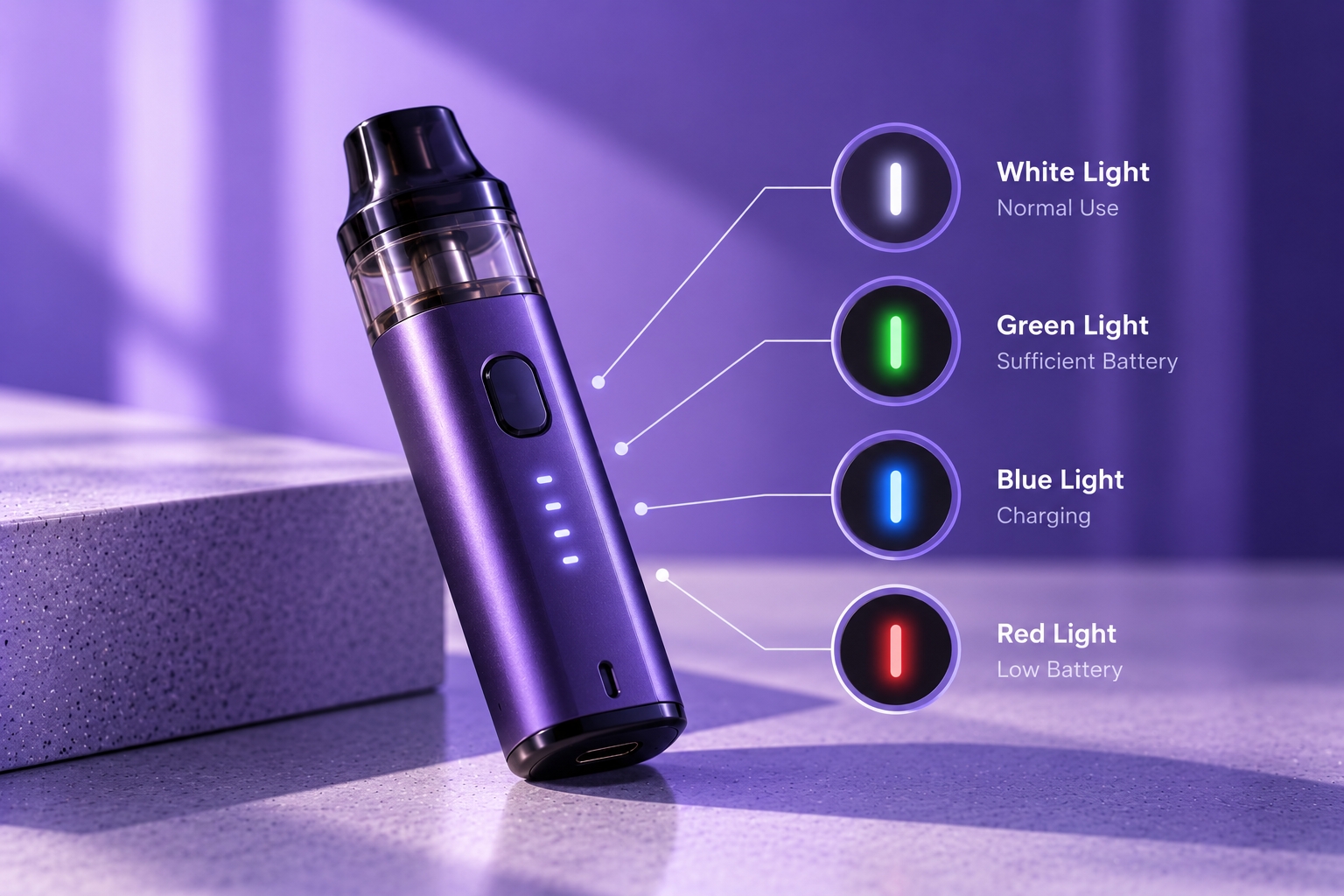
Note: Vape LED colors and blinking patterns are not universal. The same signal can mean different things across brands and models. Check your device's official manual before interpreting a warning light or attempting troubleshooting.
If your vape light keeps blinking, it may be signaling a low battery, charging issue, connection problem, or built-in protection feature. However, a flashing light does not always mean something is broken. Some devices blink during normal activation, charging, or shutdown.
Understanding when the light flashes and what happens at the same time can help you identify the next safe troubleshooting step. This guide focuses on common causes of blinking vape lights, what to check, and when to stop using the device.
Why Is My Vape Light Blinking?
A blinking vape light is a visual signal generated by the device's control system. Depending on the model, it may indicate battery status, charging progress, a disconnected pod or coil, an activation limit, or a protection warning.
The number of flashes, color, and timing can all matter. For example, three flashes on one device may represent a different condition from three flashes on another. Always use the manufacturer's indicator chart when available.
Common Reasons Your Vape Light Keeps Blinking
1. Low Battery or Charging Issue
Some devices flash an LED when the battery is too low to operate or when charging cannot begin normally. The device may stop producing vapor or refuse to activate until the battery has sufficient charge.
Check whether the device's charging behavior matches the manual. If it does not charge as expected, review common charging problems before assuming the battery has failed.
2. Loose Pod or Coil Connection
On compatible pod systems, a blinking light may indicate that the device cannot detect the pod or heating coil correctly. Poor contact, an incorrectly seated pod, or damaged connection points may contribute to the issue.
If the manufacturer permits it, disconnect the pod, inspect the accessible contacts for visible debris or liquid, and carefully reseat the pod. Do not insert metal tools into the device or attempt internal electrical repairs.
3. Activation or Puff Cutoff
Many regulated devices limit how long the heating element can remain activated during a single puff. Some models flash their LED when this programmed limit is reached.
If the light flashes only after a long activation, the behavior may relate to the device's firing cutoff rather than a fault. Confirm the specified limit in the manual.
4. Short Circuit or Protection Warning
Certain devices use flashing lights to indicate an electrical protection event, such as an abnormal coil connection or detected short circuit. The exact pattern and response depend on the manufacturer's design.
Stop attempting to activate the device if the manual identifies the pattern as an electrical fault. Do not bypass protection systems or continue using damaged components.
5. Overheating or Temperature Protection
Some regulated devices display a warning signal when temperature protection is triggered. This may occur under operating conditions that the manufacturer considers unsafe.
If the device feels unusually hot, stop using and charging it. Allow it to remain in a safe location away from combustible materials and follow the manufacturer's instructions. Do not continue testing an overheating device.
6. Normal Charging or Status Indication
Not every flashing light represents an error. Some models blink during charging, when a cable is connected, after a puff, or when switching operating modes.
Compare the signal with the official manual before taking troubleshooting steps.
What Should You Check First?
| What You Notice | Possible Explanation | Safe Next Step |
|---|---|---|
| Blinking and no vapor | Low battery, connection issue, or protection event | Check the model's indicator chart |
| Blinking while plugged in | Normal charging status or charging error | Confirm the documented charging pattern |
| Blinking after a long puff | Possible firing cutoff | Check the manufacturer's activation limit |
| Blinking after inserting a pod | Possible contact or detection issue | Inspect and reseat only as instructed |
| Blinking with unusual heat | Possible battery or electrical hazard | Stop using and charging immediately |
How to Troubleshoot a Blinking Vape Light Safely
Step 1: Identify the exact device model and locate its official LED indicator instructions.
Step 2: Note when the blinking occurs, such as during charging, after inserting a pod, or during activation.
Step 3: Check the battery level and charging instructions if the manual associates the pattern with low power.
Step 4: For removable pods, inspect accessible connections only if the manufacturer permits it and the device is disconnected from charging power.
Step 5: If the warning continues or the device appears damaged, discontinue use and contact the manufacturer or an authorized service provider.
When Should You Stop Using the Device?
Stop using or charging the vape if it becomes unusually hot, develops a swollen or damaged battery, emits unusual odors, shows visible electrical damage, or displays a persistent fault warning identified by the manufacturer.
The U.S. FDA recommends following manufacturer charging instructions and taking precautions to reduce vape battery fire risks.
Final Thoughts
A blinking vape light is a signal, not a diagnosis by itself. Low battery, connection issues, activation limits, protection events, and normal charging behavior can all produce flashing patterns depending on the device.
The safest approach is to identify the exact model, match the signal to the manufacturer's instructions, and avoid forcing operation when a fault or battery hazard is suspected.
Sources & Further Reading
- U.S. FDA — Tips to Help Avoid Vape Battery Fires or Explosions
- U.S. Fire Administration — Lithium-Ion Battery Safety
Safety reminder: Never rely on a generic blinking-light chart to diagnose a specific model. Stop using equipment that shows signs of battery damage, unusual heat, or electrical malfunction.