 United States
Why Does My Vape Pod Keep Disconnecting? Causes and Fixes
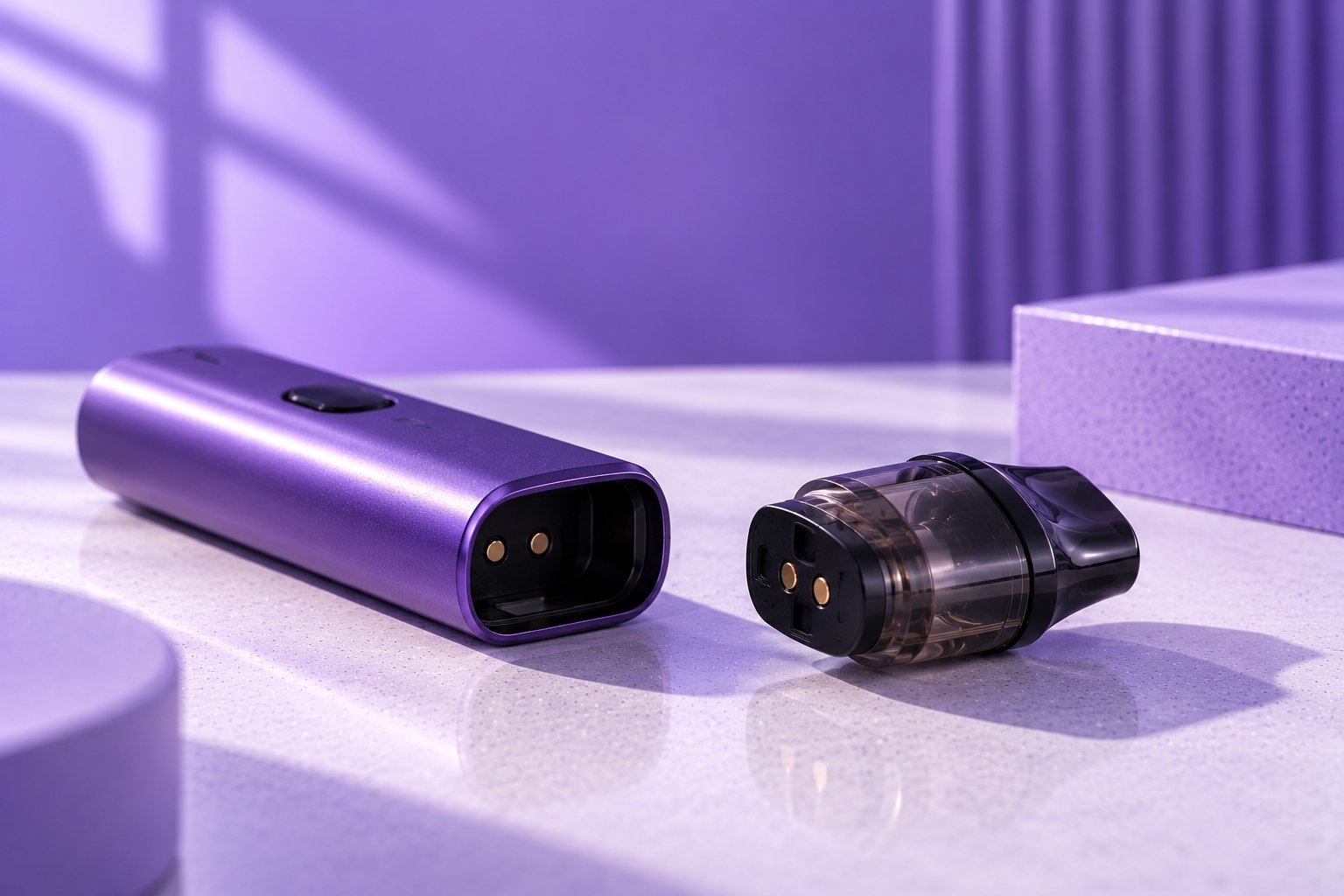
Note: Pod connection systems vary by manufacturer and model. These troubleshooting steps cover basic external checks only. Follow the manual for your exact device and never bypass electrical contacts or protection systems.
Does your vape pod keep disconnecting even though it is properly installed? Your device may work for a few puffs, suddenly stop producing vapor, then start working again after you remove and reinsert the cartridge.
This usually suggests an intermittent connection between the pod, coil, and device. Possible causes include moisture, dirty contacts, loose pod seating, incompatible hardware, or damaged connection components.
Unlike a persistent No Atomizer warning, an intermittently disconnecting pod may still be recognized some of the time.
This guide explains why vape pods repeatedly disconnect, how to identify common causes, and which external troubleshooting steps are appropriate.
Why Does My Vape Pod Keep Disconnecting?
A vape pod may repeatedly disconnect when its electrical connection with the device becomes unstable. Depending on the model, the device may stop activating, display a warning, or temporarily lose its resistance reading.
Common symptoms include:
- The vape works intermittently.
- The pod reconnects after removal and reinsertion.
- An LED flashes instead of normal activation.
- The screen displays a pod or atomizer warning.
- The device stops working when the pod moves.
- One compatible pod works while another repeatedly disconnects.
These symptoms do not prove a specific fault. Start with the least invasive checks and use the device manual to interpret any warning messages.
1. The Pod Is Not Fully Seated
A pod that is not positioned correctly may fail to maintain contact with the device. Even a cartridge that appears installed can sit unevenly because of debris, damage, or incorrect insertion.
Remove the pod and reinstall it in its intended orientation. It should sit normally without requiring pressure, twisting, or improvised supports.
If the cartridge rocks, remains raised, or repeatedly moves out of position, inspect it for visible damage and follow the manufacturer's instructions.
2. Condensation or E-Liquid Is Affecting the Contacts
Moisture can accumulate beneath a pod during normal use. A damaged or leaking cartridge may also allow e-liquid to reach the connection area.
An ongoing pod leak can repeatedly contaminate the same contact surfaces.
If moisture is visible:
- Turn off or lock the device if that function is available, and disconnect it from charging.
- Remove the pod according to the manufacturer's instructions.
- Wipe accessible exterior contact surfaces using a clean, dry, lint-free cloth or cotton swab, where permitted by the manual.
- Allow the connection area to dry completely before reinstalling the cartridge.
Never rinse the battery section, pour cleaning liquid into the pod bay, or insert metal objects into the contacts.
3. The Electrical Contacts Are Dirty
Residue, dust, or debris can interfere with the connection even when there is no obvious leak.
This is worth checking when the pod works immediately after reinsertion but disconnects again later.
Inspect only accessible contact surfaces and follow the manufacturer's cleaning procedure. Avoid scraping, bending, or applying excessive pressure to electrical components.
4. A Contact Pin Is Damaged or Stuck
Some pod systems use spring-loaded pins to maintain electrical contact with the cartridge.
A pin that appears recessed, corroded, bent, or mechanically damaged may prevent a stable connection.
Safety warning: Do not pry contact pins upward, bridge contacts with metal, or attempt to reposition damaged electrical components. Stop using the device and follow the manufacturer's service or replacement guidance.
5. The Pod or Coil Is Incompatible
A cartridge may physically fit a device without being electrically compatible.
Pod families can include different cartridge generations, contact layouts, integrated coils, and resistance specifications.
Confirm the exact device model and supported cartridge before continuing. Proper coil compatibility is also important for devices that use replaceable coils.
6. The Pod or Coil Is Damaged
The connection problem may originate inside the cartridge rather than at the visible device contacts.
If one known-compatible pod works consistently but another repeatedly disconnects, the original cartridge or its coil becomes a more likely source of the issue.
Inspect for cracked housing, deformation, damaged contact surfaces, leaking seals, or an incorrectly seated replaceable coil.
Do not disassemble or modify a sealed cartridge to restore its connection.
7. Movement Interrupts the Connection
A pod should not normally require constant pressure or a particular angle to maintain contact.
If the device works only when you press down on the cartridge or hold it in a certain position, the pod-retention mechanism or electrical connection may be damaged.
Avoid wedging paper, foil, or other materials around the cartridge. These are not appropriate repairs and may interfere with device protection.
8. The Device Is Reporting Another Electrical Problem
Not every failure to activate is caused by a disconnected pod.
Depending on the model, a device may separately detect an open connection, short circuit, unsupported resistance, low battery, or another protection condition.
A persistent short-circuit warning should not be treated as an ordinary dirty-contact issue. Follow the manufacturer's instructions and stop using the device if a serious electrical fault is indicated.
Why Does My Vape Pod Disconnect After Refilling?
If the problem starts immediately after refilling, inspect the cartridge exterior and connection area for e-liquid.
Overfilling, a damaged seal, or an improperly closed fill port may allow liquid to reach the pod base.
Check the fill port, wipe accessible exterior surfaces according to the manual, and confirm that leaking has stopped before reinstalling the pod.
Why Does Removing and Reinserting the Pod Temporarily Fix It?
Removing and reinserting the cartridge can temporarily restore contact alignment or shift residue around the connection area.
However, temporary recognition does not establish that the underlying fault has been repaired.
If the pod repeatedly disconnects, inspect the cartridge condition, compatibility, and accessible contacts rather than relying on constant reinsertion.
How to Troubleshoot a Vape Pod That Keeps Disconnecting
- Stop using the device temporarily. Turn it off or lock it if supported, and disconnect charging power.
- Remove the pod. Inspect the cartridge and pod bay for visible liquid, debris, damage, or protective shipping film.
- Check accessible contacts. Follow the manufacturer's instructions for external cleaning and drying.
- Confirm compatibility. Verify that the cartridge and coil are approved for the exact device model.
- Reinstall normally. Do not force the pod into position.
- Check device indicators. Compare LED signals and warning messages with the official manual.
- Compare another compatible pod if appropriate. If only one cartridge disconnects, the issue may be pod-related.
- Stop if the problem continues. Repeated failure across compatible pods may indicate a device-side fault requiring manufacturer support.
Pod Disconnecting vs. No Atomizer: What's the Difference?
| Symptom | Typical Pattern | What to Check |
|---|---|---|
| Pod keeps disconnecting | Intermittent recognition | Seating, moisture, contacts, cartridge condition |
| No Pod / No Atomizer | Pod or coil not detected | Compatibility, contacts, coil installation |
| Atomizer Short | Electrical protection warning | Stop use; follow the manual |
| No vapor, pod recognized | Recognition without normal activation | Battery, activation system, coil, airflow |
Can Auto-Draw Problems Feel Like Pod Disconnection?
Yes. On inhale-activated devices, the pod may remain electrically connected even when the draw sensor does not trigger normal activation.
If the device consistently recognizes the pod but does not respond to inhalation, the issue may involve the auto-draw system rather than the electrical contacts.
When Should You Stop Troubleshooting?
Stop using the device if you notice damaged contacts, substantial liquid intrusion, cracked or melted components, abnormal heating, burning odors, repeated short-circuit warnings, or unexpected auto-firing.
Do not open the battery section or modify electrical components to force the device to operate.
Final Thoughts
A vape pod that keeps disconnecting usually points to an unstable connection, although other activation or electrical problems can produce similar symptoms.
Start with pod seating, accessible contact surfaces, moisture, compatibility, and cartridge condition. If multiple known-compatible pods repeatedly disconnect in the same device, manufacturer support may be necessary.
Sources & Further Reading
- Vaporesso — Device FAQ and Troubleshooting
- U.S. FDA — Vape Battery Safety
- U.S. CPSC — Lithium-Ion Battery Safety Warning
Safety reminder: Never bridge, bend, or bypass electrical contacts or device protection systems. For model-specific connection errors, follow the manufacturer's official instructions.